Issue Summary
After a power surge, the Scanner may stop moving even though the system appears to be running. Users may see the message “Scanning, please wait” on the screen.
Common Cause
The internal circuit breaker of the scanner may have tripped after the surge, preventing the machine from moving.
Symptoms
Display shows “Scanning, please wait”
Scanner does not move
Normal restart does not restore functionality
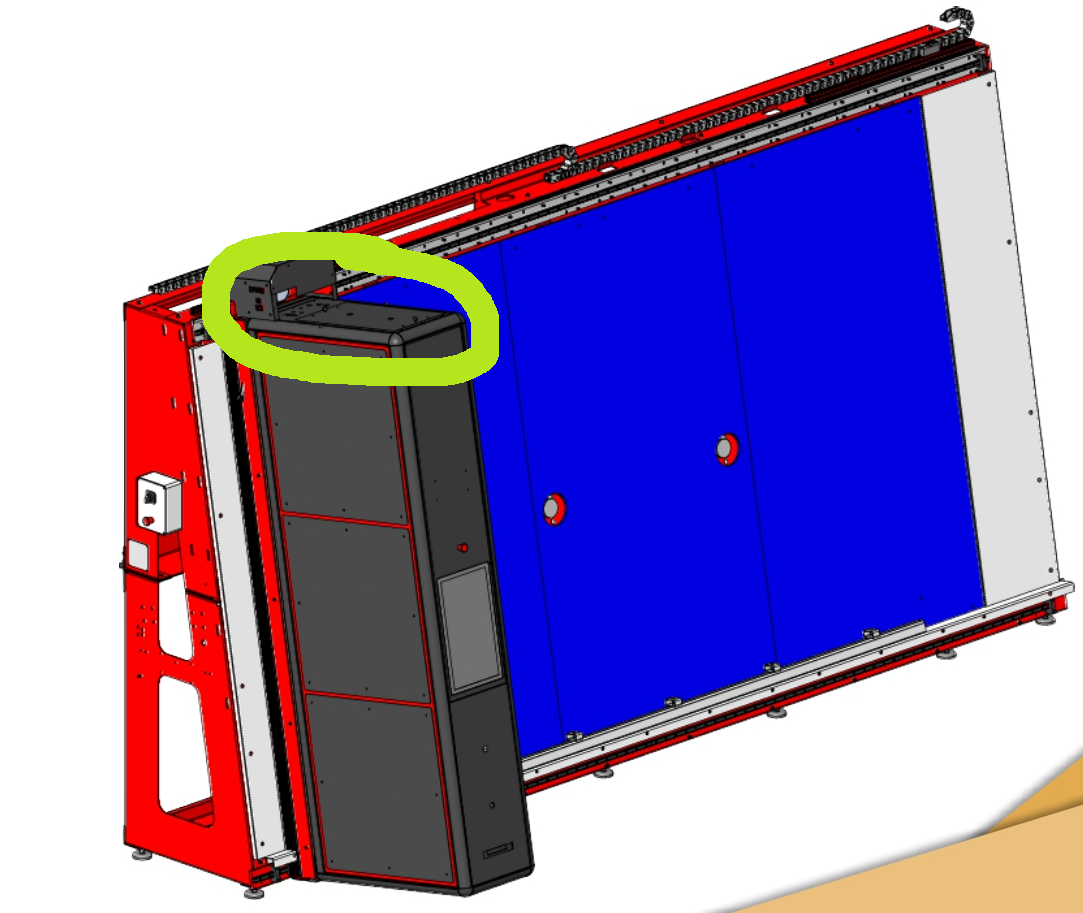
Locate the Circuit Breaker
The internal breaker is typically located on the top of the scanner, under the upper cover.
Step-by-Step Solution
Check if any internal or external circuit breakers of the scanner are turned off.
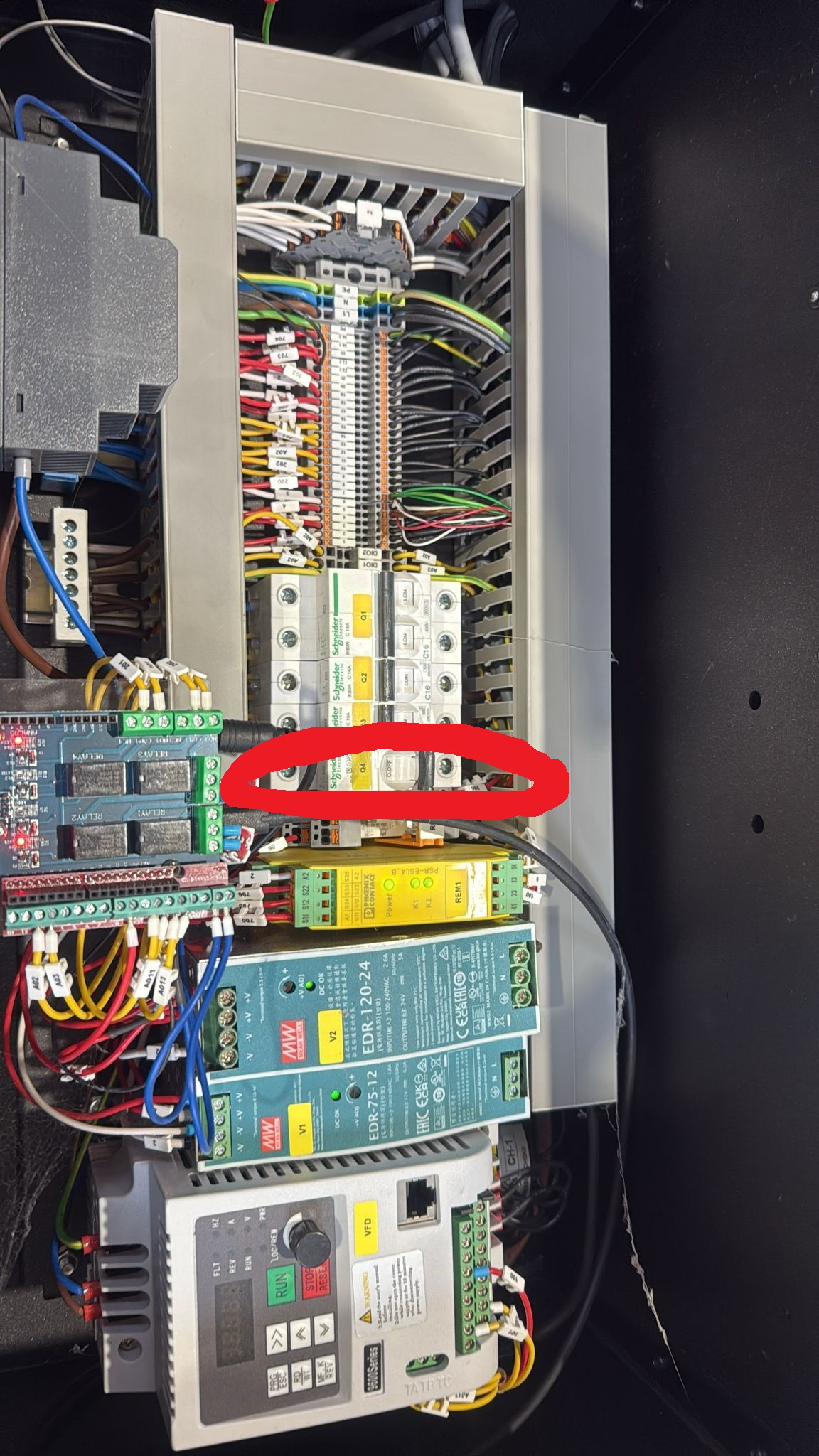
Turn the breaker(s) back on.
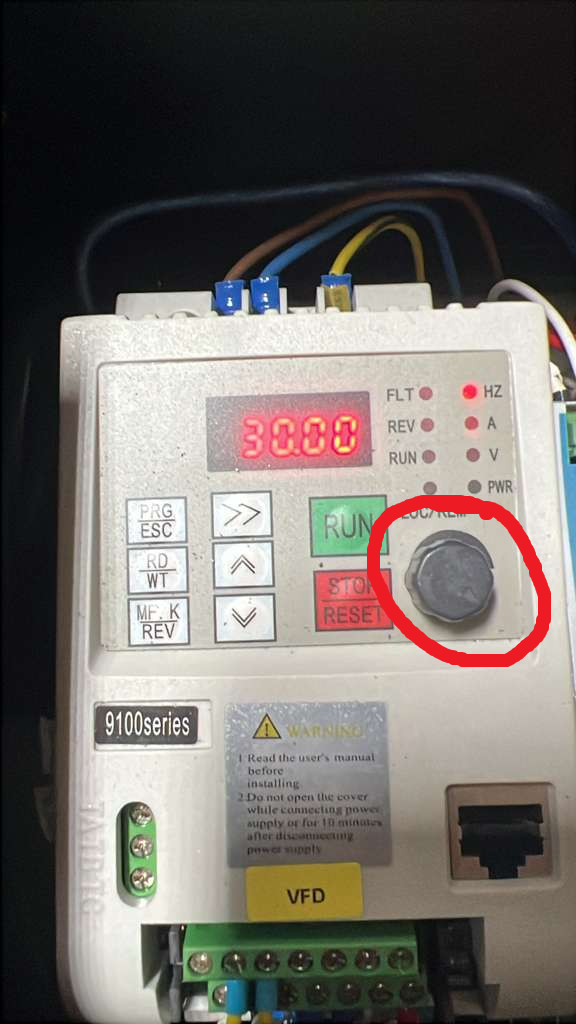
Verify the screen reading: after turning on the breaker, check that the numeric value displayed on the screen is 30.00.
If the value is not 30.00, use the rotational button on the scanner to adjust it to 30.00 (default).
Test a scan to confirm the scanner is functioning correctly.
Prevention Tips
Avoid abrupt power shutdowns.
Use a surge protector or UPS to protect the scanner.
Contact Support
If the problem persists after following these steps, contact Horus technical support.
https://horusoftware.freshdesk.com/support/tickets/new
You could also find useful documentation on our Horus Care - Training
Was this article helpful?
That’s Great!
Thank you for your feedback
Sorry! We couldn't be helpful
Thank you for your feedback
Feedback sent
We appreciate your effort and will try to fix the article